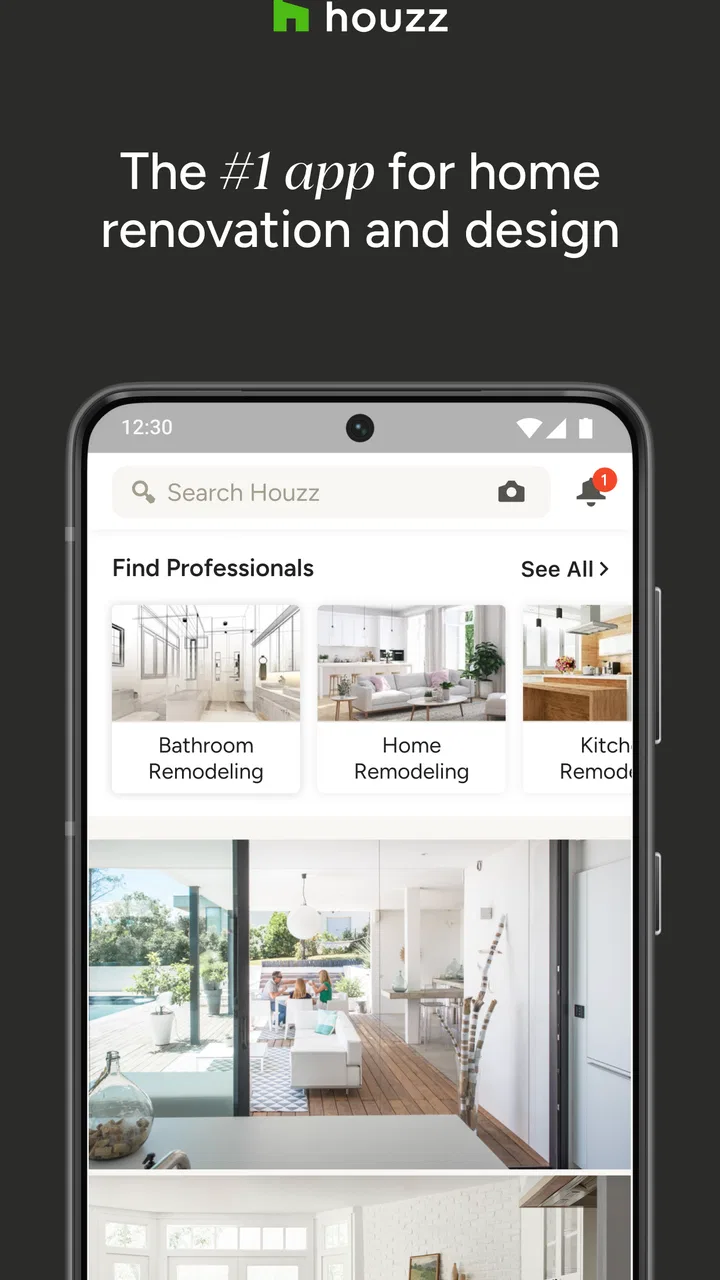
Houzz - Home Design & Remodel
- 4.6
- Rating
- 10.00M
- Installs
- Free
- Price

 Analysis by App-foxy
I use Houzz as a visual planning tool when a home project is still made of vague ideas: “warmer kitchen,” “less awkward hallway,” or “a bathroom that feels larger.” Its strongest quality is not simply the number of pictures available. It is the way those pictures can turn a loose wish into a more concrete direction for a room, especially when I need to compare styles, materials, layouts, and practical details before speaking with a professional.
This is a free House & Home app from Houzz Inc., available for Everyone and aimed at both inspiration and renovation planning. It has been around since December 18, 2012, and its current version is 25.12.8 for devices running Android 6.0 or later. With an average rating of 4.7 from around 404 thousand ratings and more than 10 million installs, it is clearly a familiar choice for people researching changes to their homes.
Why the visual idea-to-project workflow matters
I find the visual idea-to-project workflow useful because it helps me turn scattered preferences into a brief I can actually discuss with someone else. In this section, I’ll look at how that process becomes more practical when I sort references by the decisions they can inform, rather than by how impressive each room looks.
You May Also Like

 AccuWeather: Weather Radar
AccuWeather Review: A Quick, Clear Forecast for Everyday Decisions
For everyday plans, the best forecast is the one you can understand quickly. AccuWeather makes rain timing, radar, and local conditions easy to act on, with a few trade-offs.

 Hill Climb Racing
Why Hill Climb Racing Still Turns Crashes Into One More Run
A tiny car, a bumpy hill and one more upgrade: Hill Climb Racing keeps resurfacing because its simple chaos makes every near-miss feel personal.

 AliExpress - Shopping App
AliExpress Makes Global Shopping Feel Personal, but Shoppers Bear the Risk
AliExpress turns a global marketplace into a pocket-sized discovery engine. Its reach is useful, its shopping loop compelling, and its trade-offs easy to miss.

 Lords Mobile: Kingdom Wars
Lords Mobile Is a Kingdom-Building Routine, Not a Quick Match
A case-by-case verdict on the building, battles, device demands, and social commitments that make Lords Mobile rewarding for some players and exhausting for others.

 PDF Scanner app - TapScanner
TapScanner Makes Paperwork Easier to Capture, Check, and Share
TapScanner makes scanning with a phone feel less like a rescue operation and more like a dependable step in getting work done. Its capture tools are useful, though not flawless.

 Block Blast!
 Shows How Much a Puzzle Game Can Leave Out
A quiet grid game shows why puzzle players increasingly value instant clarity, repeatable skill and low-pressure play—and where the genre still needs to catch up.
More From Our News Desk
View All News


Turning a vague room idea into something discussable
The capability I find most useful is the combination of project inspiration and visual organization. Instead of saving random photographs across a browser, social network, and phone gallery, I can use Houzz to collect examples around a particular room or renovation thought. That distinction sounds small, but it changes how I make decisions. A single attractive kitchen image is easy to admire and difficult to use. A group of images showing similar cabinet colors, lighting choices, flooring, and proportions gives me a vocabulary for what I actually want.
When I browse, I pay attention to the details around the main subject. A room may look appealing because of its cabinet fronts, but the feeling could really come from the natural light, the worktop thickness, the handles, or the distance between the island and the wall. Houzz is helpful here because it encourages me to inspect a complete room rather than shop for one isolated object. That makes the app more valuable at the early planning stage than a conventional product catalog.
I also like that the visual material can support conversations with other people. If I am discussing a renovation with a partner, family member, designer, builder, or local professional, showing several related examples is much clearer than trying to describe “modern but not cold.” I can point out the parts I like and, just as importantly, the parts I do not want. The real benefit is clearer communication before money is committed.
How I use the app without losing the practical side
My preferred workflow starts with a narrow question rather than a broad search. I might begin with a small bathroom, a compact kitchen, or storage for a difficult corner. Then I save examples that match the room’s actual constraints. I look for similar proportions, windows, ceiling height, and circulation instead of collecting only dramatic rooms that could never work in my space.
After that first pass, I review the saved ideas together and remove anything that is attractive but irrelevant. This is an important step because visual browsing can create a false sense of progress. A large open-plan kitchen may inspire me, but it does not automatically answer how to improve a narrow one-wall layout. Sorting my choices by what is transferable keeps the app from becoming an endless stream of decoration.
A useful trick is to make separate groups for “overall direction,” “specific details,” and “questions for a professional.” The first group might contain rooms with the right atmosphere. The second can hold examples of splashbacks, shelving, lighting, or door styles. The third is where I place ideas that need checking, such as unusual layouts or materials that may require extra maintenance. This turns browsing into preparation rather than passive scrolling.
Using visual references more intelligently
I recommend comparing several images before deciding that a particular feature is the answer. For example, if I keep saving rooms with open shelving, I ask whether I like the shelves themselves or simply the lighter appearance they create. Perhaps glass-front cabinets or fewer upper units would produce the same effect with less dust exposure. Houzz is especially useful for making these comparisons because the surrounding room remains visible.
The same approach works for color. I do not treat a shade shown on a phone screen as a reliable final color choice. Instead, I use the images to identify a family of tones and then test physical samples in my own lighting. A photo can suggest whether I prefer warm white, muted green, or dark blue, but it cannot replace seeing the material beside my floor, worktop, or existing furniture.
For renovation planning, I also note what is missing from a beautiful image. Where are the cleaning supplies stored? Is there enough clearance to open the oven? Does the seating block a walkway? Is the lighting decorative, functional, or both? These questions prevent the app from encouraging purely visual decisions. In my experience, the best results come when Houzz supplies the starting point and real measurements, budgets, and professional advice control the final choice.
A realistic everyday scenario
Imagine that I want to refresh a tired kitchen without changing the entire house. I begin by saving kitchens with a similar footprint, then create a smaller set focused on cabinet color and lighting. I notice that the examples I prefer share under-cabinet illumination, simple hardware, and fewer competing finishes. That gives me a direction: keep the layout if it works, reduce visual clutter, and improve task lighting rather than chase a completely new style.
Next, I save a few examples that solve storage problems in different ways. One may use a tall pantry, another a drawer arrangement, and another open shelving. I can then ask a professional which idea suits my wall space and services. If I were relying only on a general image search, I would probably end up with attractive photographs but no organized explanation of why they appealed to me. Here, the saved references become a short visual brief.
The app does not tell me whether the kitchen will fit or whether a wall can be removed. That is not a weakness in itself; it is a reminder to use the tool for the part it handles well. I use it to decide what I want to investigate, then verify dimensions, materials, building requirements, and costs elsewhere.
Where local professionals fit into the experience
One of the more practical aspects of Houzz is its connection between design research and local home professionals. This matters when I move beyond inspiration and need help with design, construction, installation, or another specialist task. I would not choose someone solely because a profile appears in an app. I would still examine relevant work, ask precise questions, confirm what is included, and request a written estimate before proceeding.
My saved ideas make that conversation more efficient. Rather than asking a professional to interpret a broad style label, I can show a small collection and explain what I want to combine. I can also show examples I rejected, which helps establish boundaries. This is a subtle but valuable use: the app is not just a directory or gallery; it can act as a shared reference point between a homeowner and the person doing the work.
There is a trade-off, though. A polished project photo can make a renovation look simpler than it was. The image usually emphasizes the finished result, not the disruption, structural work, delivery problems, or maintenance decisions behind it. I treat professional discovery as a starting point for research, not as an automatic recommendation.
What the app does better than familiar alternatives
Compared with a standard image search, Houzz feels more focused on homes and more useful for moving from inspiration toward action. A general search engine can find almost anything, but it also mixes unrelated content, makes organizing difficult, and often sends me down product or social media paths that do not answer the original room question.
Compared with a shopping app, Houzz is better when I am not ready to buy. Shopping platforms are useful once I know the dimensions, finish, and product type I need. They are less helpful when I am still deciding whether a room should feel rustic, minimalist, colorful, or traditional. Houzz gives me room to explore that direction before I narrow the decision to individual products.
Compared with a social inspiration platform, I find the home-specific context more useful for renovation conversations. A social feed may be faster for discovering trends, but it can encourage endless saving without a clear project boundary. Houzz works best when I use it deliberately: one room, one problem, and a short set of references that I can explain.
It is not a replacement for a floor-planning or measurement app. If my main need is drawing a precise layout, checking furniture clearances, or testing exact dimensions, I would choose a dedicated planning tool. Houzz helps me decide what I want the space to achieve and how I want it to look; it is not the final authority on whether a design fits.
The friction I notice during real use
The biggest limitation is the temptation to confuse inspiration with a plan. The photographs are persuasive, and that can make ambitious changes feel easy. I have to remind myself that a visual match does not guarantee a structural match. A room with the same color palette may depend on windows, ceiling height, custom joinery, or a budget very different from mine.
Browsing can also become repetitive if I do not set a question before opening the app. The abundance of ideas is useful at first, but it can make decision-making harder when every new image introduces another possibility. I get better results by limiting a session to one decision, such as lighting style or storage approach, and then stopping once I have enough examples to compare.
Another point is that visual references can hide everyday maintenance. Glossy surfaces, open shelving, pale grout, delicate fabrics, and heavily styled rooms may look excellent in photographs but demand more cleaning or care. I use Houzz to notice these choices, then ask myself whether they suit my routine. Someone with pets, young children, limited time, or a busy rental property may prefer a less photogenic but more forgiving solution.
There is also a difference between browsing for a room I own and browsing for a future property. If I am renting, many ideas may be impractical because they involve permanent changes. In that case, I would focus on reversible details such as lighting, textiles, furniture arrangement, and storage rather than treat every image as a renovation brief.
Privacy, permissions, and staying in control
Because this is a home-planning app, I would be careful about the information I share. I would avoid uploading images that reveal personal documents, alarm systems, valuables, or identifying details about my home. The same caution applies when discussing a property publicly or contacting professionals. Inspiration is harmless; unnecessary exposure of private household information is not.
I also keep my saved ideas organized around projects instead of saving everything permanently. That makes it easier to revisit a decision and see whether my taste has changed. If an idea no longer fits the room, I remove it rather than allowing an oversized collection to influence me later. This simple habit reduces the feeling that I must somehow combine every attractive feature I have seen.
Who will gain the most from Houzz
I think Houzz is particularly useful for first-time renovators who know they want change but cannot yet describe it. It gives them a practical way to learn the language of rooms, compare alternatives, and prepare for a more productive conversation with a professional. It is also valuable for homeowners who already have a strong taste but need help translating it into details that can be discussed.
People planning a larger project can benefit from separating visual decisions from technical decisions. I can settle on a direction for finishes and atmosphere before asking about construction. That does not guarantee a smooth renovation, but it reduces the number of basic style decisions being made under pressure.
Design-conscious renters may also find value, provided they use the app selectively. The best ideas for them are not necessarily full remodels; they may be arrangements, color combinations, lighting approaches, or storage concepts that can be adapted without permanent work.
On the other hand, I would not make this my first choice if I only need a quick product purchase, an exact room plan, or a professional whose qualifications I want to verify through an independent trade organization. It is also not ideal for someone who becomes overwhelmed by visual choice. That person may do better with a focused consultation, a physical showroom, or a smaller design tool with fewer possibilities.
My final view after using it as a planning companion
Houzz works best when I treat it as a bridge between imagination and a real conversation. Its strongest contribution is helping me collect and explain visual evidence: not just “I like this room,” but “I like this level of contrast, this storage idea, and this way of keeping the space open.” That is a meaningful improvement over scattered browsing.
The free price makes it easy to try, and the Everyone rating makes it suitable for a broad household audience. The high average rating and large user base suggest that many people find the approach useful, but my recommendation still depends on how you work. If you use it with a clear room-specific question, remove unrealistic examples, and verify every practical decision outside the images, it can save time and improve the quality of your planning.
I would recommend it to a friend who is preparing a renovation, decorating a new home, or simply trying to understand what style feels right. I would not recommend using it alone for measurements, technical feasibility, final material selection, or professional vetting. Use Houzz to make your ideas clearer, then let measurements, maintenance, budget, and qualified advice decide what becomes real.
FAQs for Houzz - Home Design & Remodel
01What features does Houzz offer for home design and remodeling?
Houzz provides a comprehensive platform with features like an extensive photo gallery for design inspiration, a directory of professionals for hiring services, and a marketplace for purchasing home products. The app also offers tools to create mood boards and visualize design ideas in your own space using AR technology.
02Is Houzz free to use, or does it require a subscription?
Houzz is free to download and use, providing access to a wide range of features. However, certain premium features, such as professional design consultations or specialized tools, might require in-app purchases or subscriptions. Users can choose to engage with these premium services based on their specific needs.
03How can Houzz help me find professionals for my home project?
Houzz features a robust directory of professionals, including architects, interior designers, and contractors. Users can browse profiles, read reviews, and view portfolios to find the right professional for their project. The app also allows users to contact professionals directly to discuss project details and obtain quotes.
04Can I purchase home products directly through Houzz?
Yes, Houzz offers an integrated marketplace where users can browse and purchase a wide range of home products, from furniture to decor items. The app provides detailed product descriptions, user reviews, and a secure checkout process. Houzz also often features exclusive deals and discounts on various products.
05Does Houzz offer any tools to visualize design ideas in my own home?
Houzz has an innovative feature that uses augmented reality (AR) to help users visualize how furniture and decor will look in their actual space. By using your smartphone camera, you can place 3D models of products in your room to see how they fit and complement your existing decor, aiding in design decisions.
Pros
- Extensive library of design ideas.
- User-friendly interface and navigation.
- Connects you with professionals.
- Personalized recommendations available.
- AR feature for virtual room design.
Cons
- Requires a stable internet connection.
- Some features need in-app purchases.
- Occasional app crashes reported.
- Limited offline functionality.
- Notifications can be overwhelming.

Houzz - Home Design & Remodel
Gallery